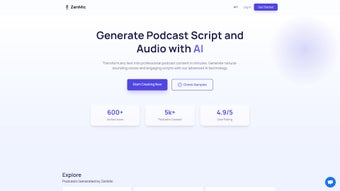

Download ZenMic – AI Podcast Creator, Text‑to‑Speech, Free Trial
Introduction
ZenMic is a cutting‑edge, web‑based AI podcast creator that turns any piece of text into a fully produced, professional‑quality audio episode. By combining advanced natural‑language processing with state‑of‑the‑art voice synthesis, ZenMic eliminates the traditional workflow that required separate script‑writing tools, recording studios, and audio editors. Whether you are a podcaster looking to scale content, a marketer seeking to repurpose blog posts, an educator aiming to provide audio lessons, or a business professional wanting to add a personal voice to newsletters, ZenMic offers a single, secure platform that handles everything from concept to distribution.
The service operates entirely in the browser, which means there are no downloads, no installations, and updates are applied instantly the moment you log in. Users start by entering a topic, pasting raw text, or uploading a document; the AI then crafts a structured script, suggests tone and length adjustments, and presents a library of over thirty lifelike voices that span multiple accents, genders, and speaking styles. With a single click, the script is converted into high‑definition audio that can be exported in MP3, WAV, or AAC formats, ready for upload to Spotify, Apple Podcasts, YouTube, or any other platform.
ZenMic’s flexible subscription model includes a free trial that provides two hours of audio each month, while paid tiers unlock additional hours, premium voice packs, advanced analytics, and priority support. Security is baked into the platform: all data is encrypted in transit with TLS 1.3 and at rest, complying with GDPR and CCPA standards. In short, ZenMic removes the technical and financial barriers that once made podcast production a specialized task, enabling anyone to create compelling audio content quickly, affordably, and at scale.
Key Features
- AI‑Generated Scripts: Instantly produce a polished script from keywords, outlines, or full‑text inputs, with control over tone, style, and length.
- Natural Voice Synthesis: Choose from 30+ high‑quality AI voices, including regional accents, gender options, and expressive delivery styles.
- One‑Click Export: Download finished podcasts in MP3, WAV, or AAC formats, optimized for all major hosting platforms.
- Integrated Editing Suite: Inline script editor with AI‑suggested revisions, word‑level timing tweaks, and background‑music insertion.
- Scalable Subscription Plans: Free trial with 2 hours/month, then tiered plans from 10 hours to unlimited usage, plus premium voice packs.
- Analytics Dashboard: Real‑time insights into listener demographics, play counts, average listening time, and geographic distribution.
- Secure Cloud Processing: End‑to‑end encryption, GDPR & CCPA compliance, and regular security audits.
- Collaboration Tools: Invite teammates, assign roles, comment on drafts, and approve final audio without sharing passwords.
- Cross‑Device Compatibility: Fully functional on Windows, macOS, Linux, Android, and iOS via any modern browser.
- Continuous AI Updates: Automatic model improvements that enhance voice naturalness and script relevance without user intervention.
Installation & Usage Guide
ZenMic’s web‑only architecture means you can start creating podcasts instantly, without downloading any software. Follow these detailed steps to get up and running:
- Create Your Account: Visit zenmic.com, click “Sign Up,” and register using an email address, Google, or Apple ID. Verify your email within a few minutes.
- Select a Plan: After verification, you’ll land on the pricing page. Choose the free trial to test core features or pick a paid tier that matches your expected monthly audio hours.
- Navigate the Dashboard: The main interface is divided into three tabs—Script Builder, Voice Studio, and Analytics. Each tab guides you through a specific phase of podcast production.
- Build Your Script: In Script Builder, paste existing text, upload a .docx/.pdf, or type a brief description of your topic. Click “Generate Script,” and ZenMic’s AI will output a structured outline with an intro, main points, and conclusion. Use the built‑in editor to tweak wording, adjust the “Tone Slider” for formality or excitement, and add or remove sections as needed.
- Choose a Voice: Switch to Voice Studio, select a voice from the dropdown, and preview a short excerpt. Fine‑tune speed, pitch, and breathing pauses, then click “Synthesize Audio.” A waveform preview appears, allowing you to trim silences or add pauses.
- Add Background Music (Optional): Drag a royalty‑free track from ZenMic’s library onto the timeline, set volume levels, and apply fade‑in/out effects for a polished finish.
- Export Your Podcast: When satisfied, click “Export.” Choose MP3 (recommended), set bitrate (128 kbps–320 kbps), and download directly or push the file to Google Drive, Dropbox, or OneDrive.
- Publish & Track Performance: Upload the exported audio to your preferred host (Spotify, Apple Podcasts, etc.). Return to ZenMic’s Analytics tab to monitor plays, listener locations, and retention metrics, helping you refine future episodes.
- Collaborate Seamlessly: Invite teammates via the “Collaborators” button, assign roles (Editor, Reviewer, Publisher), and work on the same project simultaneously without overwriting each other’s changes.
Because everything runs in the browser, you benefit from automatic updates and instant access from any device—desktop, tablet, or smartphone. No installation, no maintenance, and no compatibility worries.
Pros, Cons & Frequently Asked Questions
Pros
- All‑in‑one platform removes the need for separate script, recording, and editing tools.
- AI voices sound natural, with diverse accents and gender options.
- Browser‑based, so no downloads or manual updates are required.
- Flexible pricing accommodates hobbyists, educators, and enterprises.
- Robust analytics help creators understand audience behavior.
- End‑to‑end encryption meets GDPR and CCPA privacy standards.
Cons
- Free tier limited to 2 hours of audio per month, which may be insufficient for frequent podcasters.
- High‑quality voice synthesis can be CPU‑intensive on older devices, causing occasional latency.
- Technical or highly niche subjects sometimes need manual script refinement.
- No dedicated native mobile app yet; mobile browsers offer a less ergonomic editing experience.
- Custom voice training is only available on the highest‑priced plans.
Frequently Asked Questions
Is ZenMic completely free to use?
ZenMic offers a free trial that includes 2 hours of AI‑generated audio each month, along with a limited selection of voices and basic analytics. For additional hours or premium features, paid subscription plans are available.
Which operating systems does ZenMic support?
Because ZenMic runs entirely in the browser, it works on any modern operating system—Windows, macOS, Linux, Android, and iOS—provided you have a current version of Chrome, Edge, Firefox, or Safari.
Can I use my own music or sound effects?
Yes. ZenMic allows you to upload MP3 or WAV files from your computer or cloud storage. Once uploaded, you can place the track on the timeline, adjust volume, and apply fades to create a professional soundscape.
How does ZenMic protect my content?
All data transmitted between your browser and ZenMic’s servers is encrypted with TLS 1.3. Files stored on the platform are encrypted at rest, and the service adheres to GDPR and CCPA regulations, ensuring that your scripts and audio files remain private.
Do I need any technical expertise to create a podcast?
No. ZenMic is designed for users of all skill levels. The intuitive interface guides you through script generation, voice selection, and export with clear tooltips, video tutorials, and a searchable help center.
Is there a mobile app for ZenMic?
Currently ZenMic is a web‑only service. While you can access it from mobile browsers, a dedicated iOS/Android app is planned for a future release.
Conclusion & Call to Action
ZenMic delivers a powerful, all‑in‑one solution for anyone who wants to turn written ideas into high‑quality podcasts without the usual technical hurdles. Its AI‑driven script generator, natural‑sounding voice library, and seamless export options make it possible to produce broadcast‑ready audio in minutes rather than hours. The platform’s secure, browser‑based architecture ensures that you always have the latest features without manual updates, and the collaborative tools make teamwork effortless.
While the free tier’s two‑hour limit and the absence of a native mobile app may be minor drawbacks, the flexible pricing, extensive analytics, and commitment to data privacy provide strong value for both casual creators and professional studios. If you’re ready to expand your content strategy, repurpose existing written material, or simply explore the world of podcasting with minimal investment, ZenMic’s free trial is the perfect starting point. Click the button below, sign up, and experience how effortless AI‑powered podcast creation can be.
Overall Rating: 4.5/5
Pros
- All‑in‑one workflow eliminates tool fragmentation.
- Natural‑sounding AI voices with multiple accents.
- Browser‑based, no installations needed.
- Flexible pricing for hobbyists and enterprises.
- Comprehensive analytics and secure cloud processing.
Cons
- Free tier limited to 2 hours/month.
- Advanced voice customization locked behind higher plans.
- No dedicated mobile app yet.



.png)



